
Amazon co-founder MacKenzie Scott has donated over $19 billion to charity in just five years
Diamond batteries powered by nuclear waste promise 28,000 years of clean energy
New interfaces, fewer modal windows, widgets, Live Activities… This update is more significant than one might have expected!
Liquid Glass (But Not Overdone)
While iOS 26 is full of transparency, sometimes excessively so, I was concerned about how this would impact the readability of interfaces on CarPlay.
At first glance, it’s really just the left-hand menu that has a noticeably different look, featuring very rounded edges and a slight overlay effect…
Fortunately, the “Liquid Glass” effects are limited to a few navigation bars and thankfully so. Unreadable icons or text would have been far too frustrating to use.
Even the new icon customizations end up looking… quite grayish, rather than being truly transparent. That’s somewhat disappointing, isn’t it?
Ultimately, I prefer the “dark” look of the icons as I find them much more readable.
Widgets Galore!
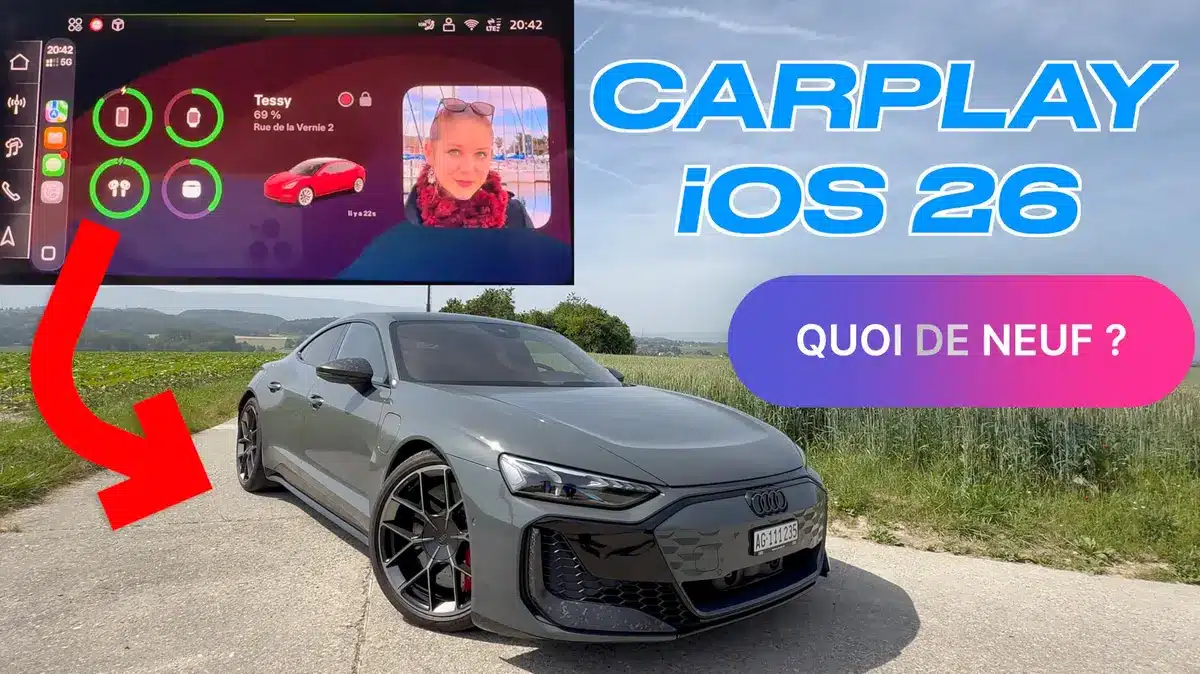
The main screen is no longer a shared home screen between GPS and a few dynamic infos (current music, calendar…); it’s now a widget screen!
Three scrolling columns are available, and you can place anything from your HomeKit shortcuts to your Tesla widget, including weather, photos… In fact, you can add any element from your iPhone, as long as it fits in the reduced (square) format.
NASA warns China could slow Earth’s rotation with one simple move
This dog endured 27 hours of labor and gave birth to a record-breaking number of puppies
This might be handy for turning on a light or opening a HomeKit garage door, but while driving, I don’t see much use for all this. It would have been better to have widgets overlaid so that they’re actually informative while on the road.
Live Activities
The “Live Activities” feature allows you to track long-term events, such as an Uber ride, a flight, or charging an electric car.
Now, they are displayed right on the home screen, which can be handy if you’re waiting for someone at the airport or maybe an Uber Eats delivery.
Also, note that you can now have three widgets in height on the home screen.
I would have preferred if they were displayed at the top of the screen in an overlay, so I wouldn’t have to switch screens to follow them…
New Music App!
Apple has reworked several interfaces, including its Music
app, which was rather sluggish until now.
Much more spacious, both in terms of navigation (with this tab system) and in displaying songs/artists/playlists, the functionality remains similar, but now you see far more suggestions on the screen.
Apple could have improved the control screen as well as the search function, which still relies on Siri… Why not add a keyboard, for instance?
It’s a shame that the Podcast app doesn’t fully benefit from these new interfaces: the menus are still somewhat clunky.
Phone and Messages
The Phone app follows this new reorganization, with cleaner, more responsive interfaces.
Apple has reduced the size of the icons, making it easier to display profile photos, favorites, and various details on screen.
To take a call, no need to hide the entire screen anymore, the window now appears in an overlay without leaving the GPS, which is a nice touch!
The same goes for messages, where you can also quickly react with a little Emoji, just like on iOS.
However, it’s impossible to read a text message, display a photo, or confirm the text before sending: everything goes through the often frustrating Siri.
New Settings
Apple has added a few options in the settings, like Apple Intelligence and Siri
that allow you to activate (or deactivate) suggestive widgets, or send messages automatically through Siri, without confirmation.
I would have liked to be able to choose my own wallpaper, especially since Apple still offers very few options!
A new “smart zoom” option supposedly helps better adapt interfaces to the screen. On our 10″ panel, I found the feature unnecessary: it just enlarges texts and icons needlessly.
Finally, you can sync the focus mode with that of the iPhone, if you don’t want to be disturbed while driving.
Soon AirPlay
We mentioned in the news, it will soon be possible to stream AirPlay video content in CarPlay.
It’s not automatic, developers will need to adapt their programs and of course get them approved by Apple. Video will only be available when stationary, but it allows you to make use of the large screens to watch movies, which some small devices have already figured out how to “hack” into CarPlay.
In Conclusion
So, what do you think of this new CarPlay?
After a few days behind the wheel with this update, I find that some improvements are welcome, especially the end of modal windows (which used to cover the map to receive a call or a message).
Widgets and live activities can be useful, but I’m not entirely convinced by their implementation, which seems a bit too discreet.
Perhaps the real issue with CarPlay isn’t Siri? The assistant is mandatory for using Messages or Apple Music, and it often leads to frustrations.
Despite this, I’m glad that Apple continues to show interest in CarPlay, which hasn’t really evolved much since its initial release.