
Amazon co-founder MacKenzie Scott has donated over $19 billion to charity in just five years
Diamond batteries powered by nuclear waste promise 28,000 years of clean energy
• A free license for Aiarty Image Matting
• Promotion on the lifetime license
Key Features
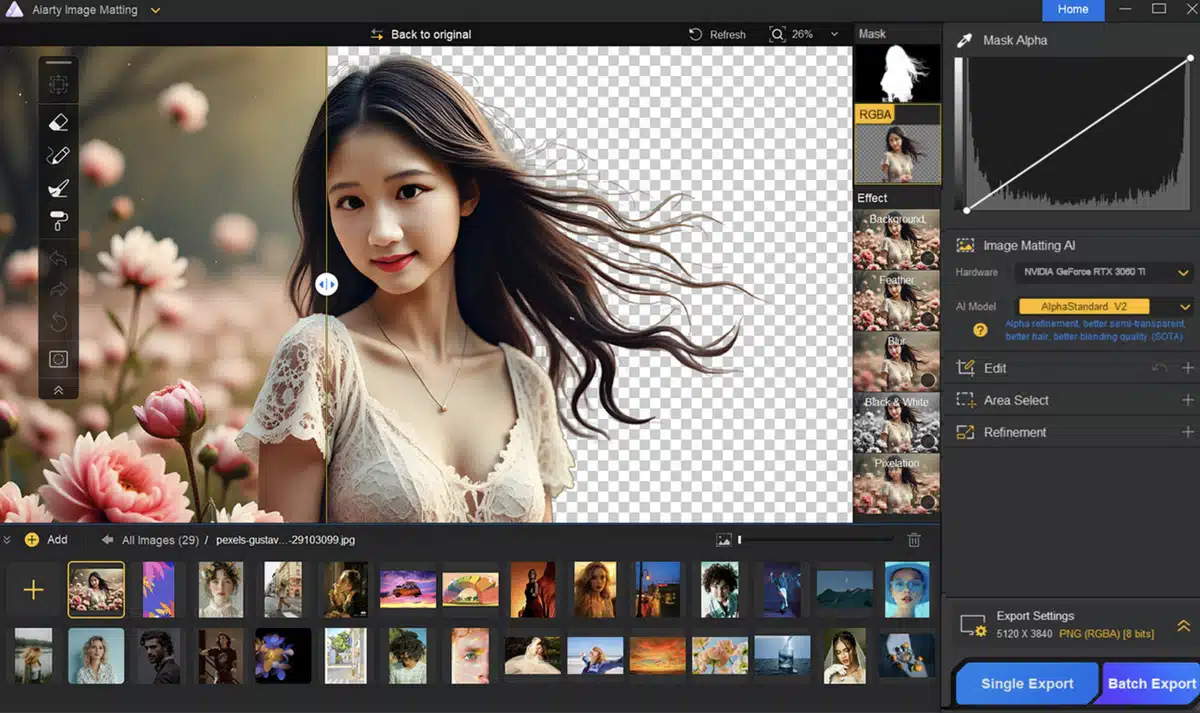
Aiarty Image Matting includes four advanced AI models, each tailored for specific types of images:
• AlphaStandard: Suited for general images, it provides accurate masking for a diverse range of subjects.
• AlphaMatting: Ideal for complex subjects with blurry edges or fine details like fur or hair.
• AlphaPortrait: Specifically developed for portraits, it ensures a clean separation between the subject and the background.
These models have been trained using a dataset of 320,000 images at 4K resolution and higher, securing truly exceptional accuracy.
Manual Editing Tools
In addition to AI models, Aiarty offers manual tools such as an eraser, brush, and tools for increasing or decreasing density. These features allow users to adjust transparency around the edges, remove unwanted areas, or paint parts of the subject for seamless integration into new backgrounds.
Batch Processing
A standout feature of Aiarty Image Matting is its capability to process up to 3,000 images at once. This function is particularly valuable for photographers, online sellers, and professionals dealing with large volumes of images, allowing them to save significant time while ensuring high quality.
NASA warns China could slow Earth’s rotation with one simple move
This dog endured 27 hours of labor and gave birth to a record-breaking number of puppies
Integrated Enhancement and Scaling
Unlike other software that performs masking at low resolution, Aiarty maintains 4K quality during subject masking. With its built-in enhancement algorithms, it improves the image while preserving fine details like skin texture, fabrics, or hair.
Easy and Intuitive Usage
The software is incredibly user-friendly, requiring just the import of one or more photos or a whole folder for batch tasks, then select the AI model that fits your needs.
Then start the automatic masking process. Once the subject is isolated, you can add custom backgrounds or use solid colors for the canvas. You can then utilize refinement tools to adjust the edges and transparency, ensuring a natural integration of the subject into the new background.
Aiarty Image Matting is versatile and caters to various needs such as for photographers (For portraits with complex details like hair or semi-transparent clothing), designers (For creating compositions with precisely masked subjects), online sellers (For showcasing products against uniform or custom backgrounds, thus enhancing visual appeal) and content creators (For producing eye-catching visuals for social media or other platforms.
Current Promotion
Aiarty Image Matting stands out as a powerful tool for image masking and background removal on Mac. Its use of artificial intelligence, combined with manual tools and batch processing capabilities, makes it a smart choice for professionals and hobbyists looking to enhance their image editing workflow.
The software is available for both Windows and macOS platforms and can be directly downloaded from the official website. A free trial version is available, with some limitations such as watermarking after 30 days and no batch export capability. To access all features without restrictions, paid licenses are available, with lifetime options for use on multiple devices.
• A free license for Aiarty Image Matting
• Promotion on the lifetime license