
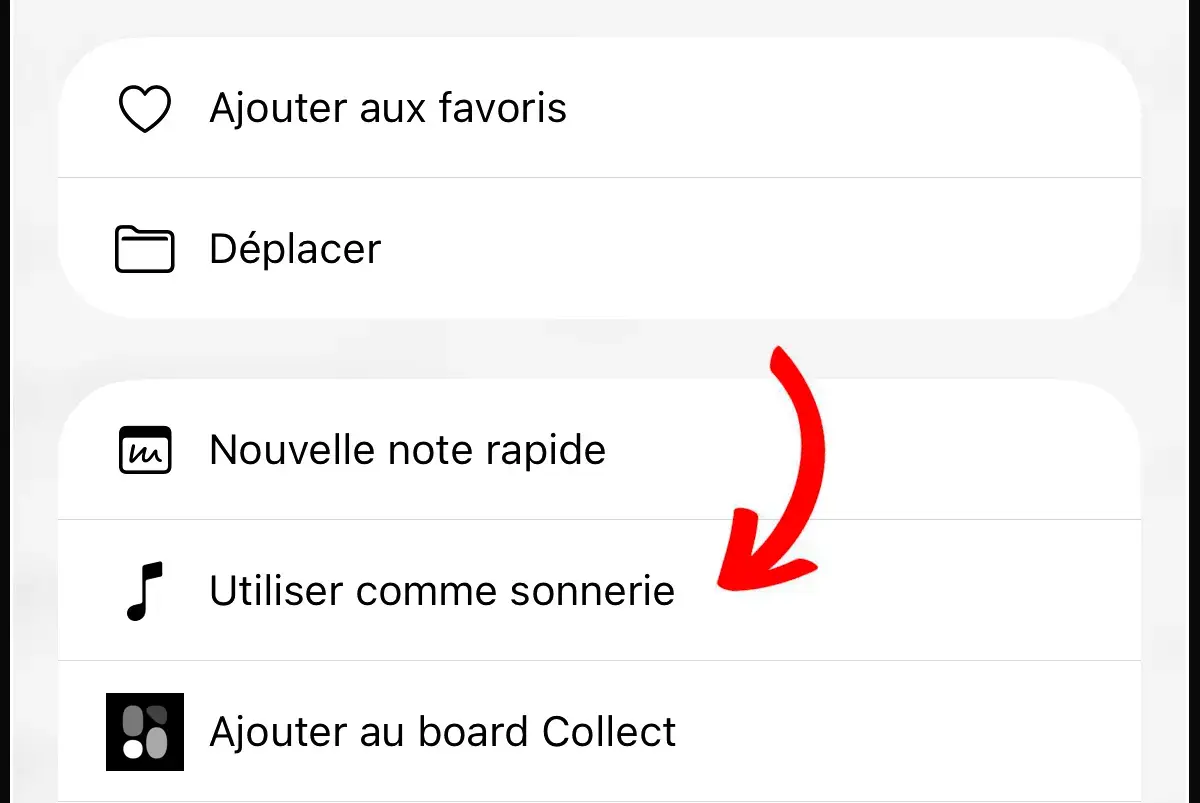
With iOS 26, Apple has quietly made it easier to add custom ringtones to the iPhone, but don’t expect any groundbreaking changes. Although the new method is slightly more straightforward, it’s still not seamless, and importantly, it does not alter Apple’s business strategy of promoting purchases from its store.
Amazon co-founder MacKenzie Scott has donated over $19 billion to charity in just five years
Diamond batteries powered by nuclear waste promise 28,000 years of clean energy
A Subtle Enhancement
In the initial beta of iOS 26, Apple introduced a feature called “Use as Ringtone,” which is now directly accessible from the audio file’s share menu. Once selected, the custom ringtone immediately shows up at the top of the list of available tones in the Settings > Sounds & Haptics menu.
This new option eliminates the need for the complex steps previously required in apps like GarageBand under iOS 18. Creating a custom ringtone used to be almost an obstacle course: trimming a file to 30 seconds, converting it to a specific format, and importing it via iTunes or GarageBand. Clearly, Apple had its reasons for making the process so intricate.
Still Not As Simple As Android
However, the feature appears somewhat temperamental, possibly due to its beta status. It requires an MP3 file shorter than 30 seconds. In some apps like Files or Voice Memos, it works fairly smoothly.
A major limitation is that Apple has not provided direct compatibility with Apple Music tracks for use as ringtones. Therefore, transforming a song from your music library into a ringtone is not possible unless you purchase a specific version through the Tone Store or use a third-party tool to extract it.
Apple continues to tightly control access to custom ringtones while maintaining a profitable business model through the sale of official tones, often priced at $1.29 for just a few seconds of music. This limited opening might, however, be seen as a very small step forward, perhaps in response to ongoing user demand!