

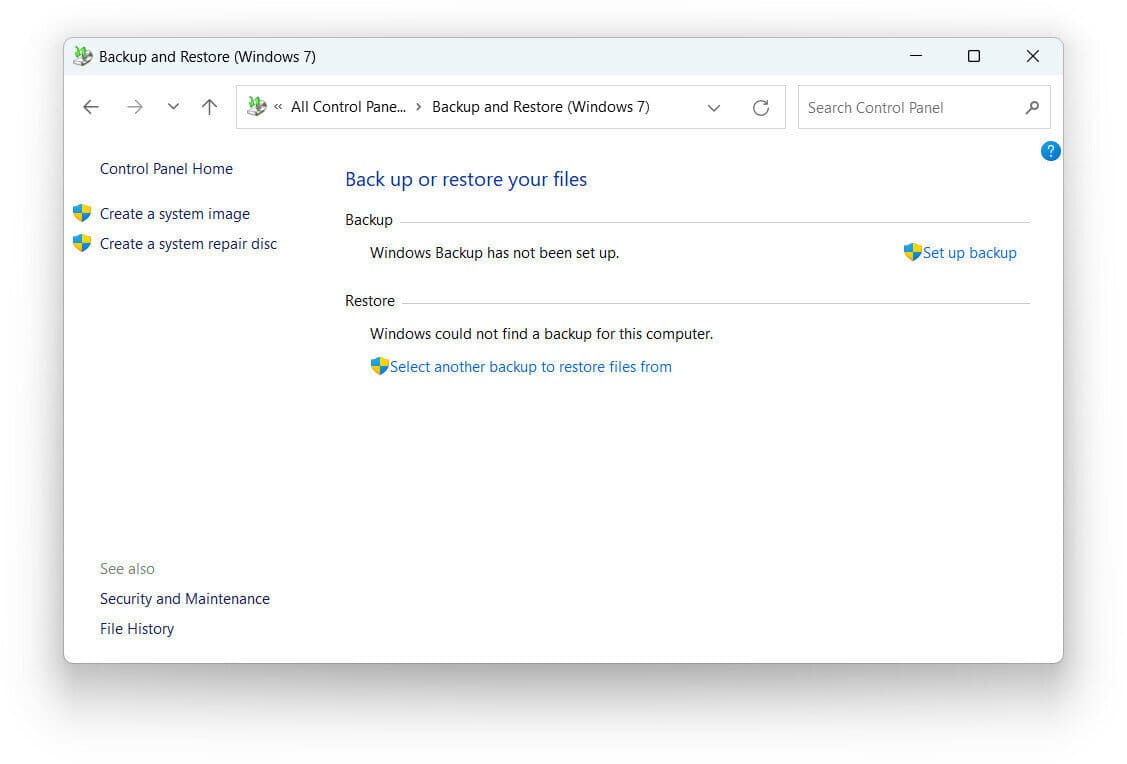
Microsoft has built its reputation on pushing the envelope with the latest technologies and encouraging users to adopt modern solutions. However, in an unexpected twist, the company has recently recommended a 15-year-old backup tool—Backup and Restore (Windows 7)—for users of Windows 10 and Windows 11. This tool, originally introduced during the Windows 7 era, was officially phased out with the release of Windows 10 version 1709 over seven years ago. Despite the availability of newer, more advanced backup options, Microsoft still suggests using this legacy feature in certain scenarios. This raises some questions about the viability of the modern alternatives on offer.
Amazon co-founder MacKenzie Scott has donated over $19 billion to charity in just five years
Diamond batteries powered by nuclear waste promise 28,000 years of clean energy
Why Is an Outdated Tool Still in Use?
Microsoft’s official documentation suggests that users who are looking for full disk backups should turn to third-party solutions rather than relying on the built-in tools that come with Windows. While Backup and Restore (Windows 7) is still available to help users migrating from older systems, it is no longer actively supported or maintained.
This brings us to the more modern backup options that Windows provides—each with its own limitations. For instance:
-
System Restore is useful for saving specific files, settings, and installed applications, but it doesn’t create full backups of your system.
-
File History is designed for backing up personal files to external or network drives, but it doesn’t handle full system images.
-
System Protection only creates restore points and doesn’t provide comprehensive backups.
Despite the availability of these modern tools, none of them offer the same level of complete system backup that Backup and Restore (Windows 7) provided. This leaves users in a bit of a bind, as the more advanced options are more focused on specific files or restoring individual settings, rather than offering a complete recovery solution.
A Legacy Issue in Windows
The continued use of this outdated backup tool reflects a larger issue in Windows—the persistence of legacy components that stem from older versions. Despite Microsoft’s efforts to modernize the Windows interface by gradually phasing out obsolete features, some, like the classic Control Panel, are still hanging around in the background, sometimes in unexpected ways.
The contradiction in Microsoft’s guidance is also hard to ignore. On one hand, the company acknowledges that third-party backup tools are necessary for full system protection. On the other, it still directs users toward a tool that is no longer being actively developed or updated. This creates confusion, particularly for non-technical users who may not be aware of the limitations or potential unreliability of using such outdated solutions on modern systems.
A Clearer Stance Is Needed
Given the limited capabilities of the modern backup features in Windows and the continued suggestion to use a tool that is no longer actively supported, Microsoft’s official support documentation could benefit from a clearer stance. Users should be explicitly informed that Backup and Restore (Windows 7) is outdated and may not be the most reliable option for their backup needs on Windows 10 or Windows 11.
NASA warns China could slow Earth’s rotation with one simple move
This dog endured 27 hours of labor and gave birth to a record-breaking number of puppies
For those seeking reliable backup solutions today, it might be best to explore third-party alternatives rather than relying on Microsoft’s aging recommendation. There are plenty of reliable options available that can provide a comprehensive and modern solution to data security. By looking beyond the built-in tools, users can ensure their systems are fully protected, without relying on outdated technologies that may no longer serve their needs.
In the ever-evolving world of technology, it’s essential to stay up to date—and that includes choosing the best backup system to safeguard your data for the future.