

In today’s digital world, our smartphones are almost an extension of ourselves. From managing finances to socializing, they hold a treasure trove of personal data. However, a disturbing trend has emerged: some Android apps, disguised as harmless, have been secretly recording conversations and stealing personal information. Here’s what you need to know, and how to protect your privacy.
Amazon co-founder MacKenzie Scott has donated over $19 billion to charity in just five years
Diamond batteries powered by nuclear waste promise 28,000 years of clean energy
A Growing Threat in the Google Play Store
Imagine downloading a seemingly innocent app, only to discover later that it’s been quietly listening to your conversations. This nightmare scenario became a reality when ESET researchers discovered twelve espionage apps¹ that covertly record audio and steal data. The worst part? These apps often blended so seamlessly with legitimate ones that many people didn’t realize their privacy was being compromised.
Worse still, some of these apps were available not just on the Google Play Store but also through third-party platforms, making them even harder to avoid. The covert nature of these apps has raised serious concerns about the safety of downloading seemingly innocent applications.
Did you know? There are over 3.5 million apps available on the Google Play Store as of October 2023⁴.
The Love Scam: How Hackers Lured Victims
One of the more sinister tactics used by cybercriminals involved romantic deception. Hackers would initially establish contact through platforms like Facebook Messenger or WhatsApp, pretending to build a romantic connection. Once trust was established, they’d encourage their target to install a harmless-looking messaging app. But behind the scenes, the app contained a Trojan—VajraSpy²—which would begin recording conversations and collecting private information the moment the app was installed.
This method is especially dangerous because it exploits human emotions, bypassing many standard security measures. It’s not just about technology; it’s about manipulating trust and emotions to gain access to your data.
Group 1: Standard Messaging Apps with Hidden Trojans
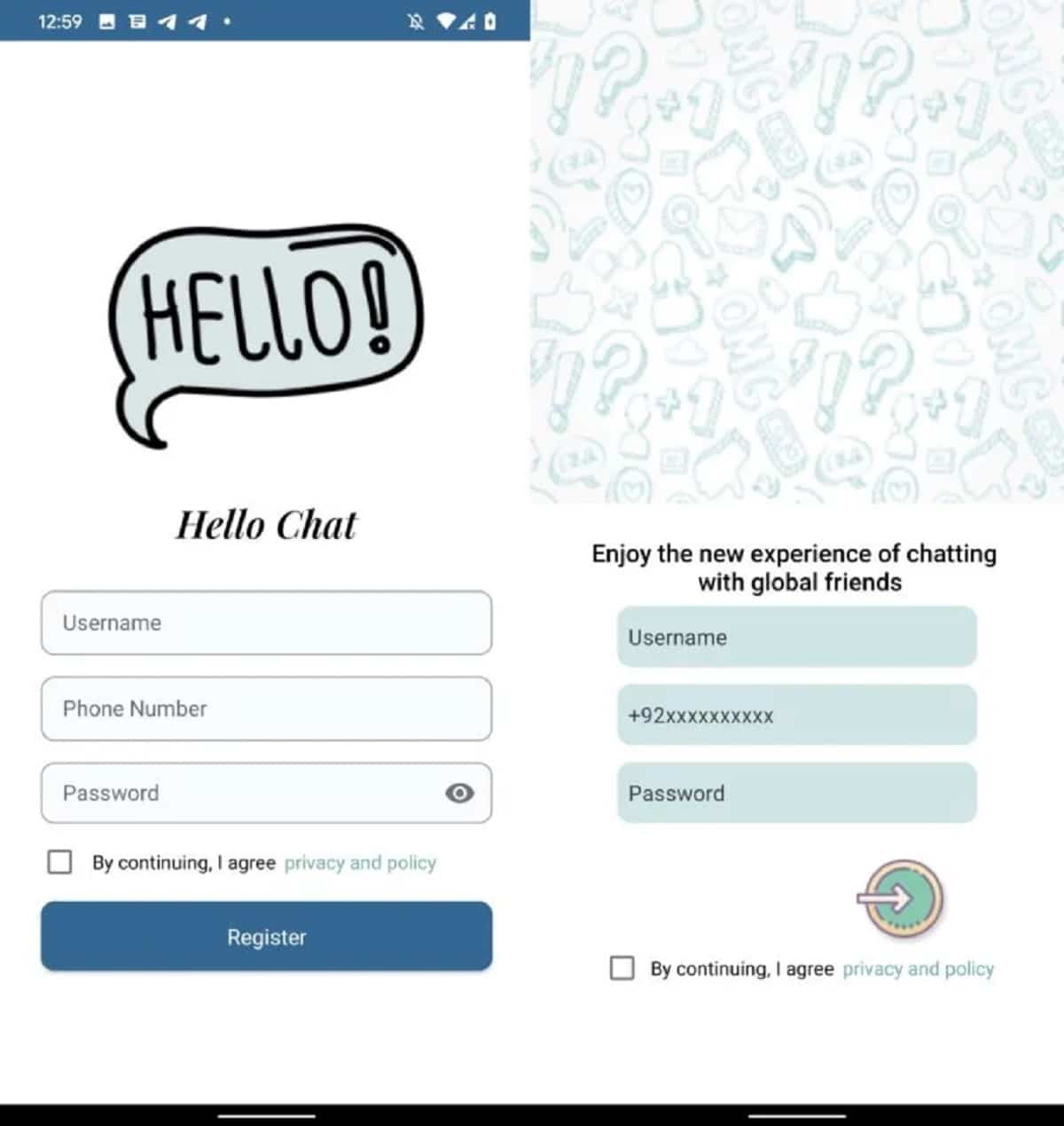
The first group of malicious apps includes those that look completely normal—standard messaging apps that appear to be just like any other. These apps request access to your contacts, phone number, and other personal details. Even if you don’t complete the full setup process, they often run silently in the background, harvesting data such as call logs, SMS messages, device location, and even your list of installed apps. Notable examples include Hello Chat, MeetMe, and Chit Chat—if any of these are on your device, delete them immediately.
Group 2: Apps Exploiting Accessibility Features
Some advanced malicious apps go a step further by exploiting Android’s accessibility features. These apps can intercept communication from secure platforms like WhatsApp and Signal, allowing hackers to eavesdrop on conversations and capture sensitive notifications. One app, Wave Chat, raised particular alarm bells because it could record phone calls, keystrokes, and even ambient sounds by activating your phone’s microphone. This kind of privacy breach highlights just how important it is to be vigilant about the permissions apps request.
NASA warns China could slow Earth’s rotation with one simple move
This dog endured 27 hours of labor and gave birth to a record-breaking number of puppies
Group 3: The Single Non-Messaging App
Not all of the malicious apps are messaging platforms. One notable exception is Nidus, a news app that doesn’t offer messaging functionality but still asks for your phone number to sign in. Once access is granted, the app collects contacts and certain files, leaving your data exposed even though it isn’t a messaging platform.
The 12 Malicious Apps You Need to Know About
Here’s a list of 12 Android apps that have been identified as security threats to your privacy. If any of these are on your phone, uninstall them immediately:
-
Rafaqat
-
Privee Talk
-
MeetMe
-
Let’s Chat
-
Quick Chat
-
Chit Chat
-
YohooTalk
-
TikTalk
-
Hello Chat
-
Nidus
-
GlowChat
-
Wave Chat
Six of these were available on the Google Play Store and collectively reached over 1,400 installs before being removed³. If you spot any of these names on your device, it’s critical to act fast to safeguard your personal information.
Steps to Secure Your Device
If you suspect that one of these apps is on your device, here’s what you should do:
-
Uninstall the App: Remove the suspicious app immediately to stop it from accessing your data.
-
Change Your Passwords: Update the passwords for accounts linked to the app, especially critical ones like banking and email.
-
Enable Two-Factor Authentication: Add an extra layer of security to your accounts, making it harder for hackers to gain access.
-
Run a Security Scan: Use reputable antivirus software, such as ESET Mobile Security or Norton Mobile Security, to check for any other potential threats.
-
Stay Informed: Keep up to date with cybersecurity news from trusted sources to stay ahead of emerging threats.
Conclusion: Stay Cautious and Protect Your Privacy
While the Google Play Store offers a convenient way to access thousands of apps, not all of them are as harmless as they seem. As the line between helpful tools and malicious software becomes increasingly blurred, it’s essential to verify the legitimacy of every app you install. Always check app permissions carefully, and never hesitate to uninstall apps that seem suspicious.
Your smartphone should be a tool for convenience, not an open door for hackers. Regularly audit the apps on your device, stay informed, and take proactive steps to protect your personal data. With a little vigilance, you can ensure your smartphone remains a trusted assistant, not a security risk.
Sources
-
ESET. “VajraSpy: A Patchwork of espionage apps.” WeLiveSecurity, 01 Feb 2024. https://www.welivesecurity.com/en/eset-research/vajraspy-patchwork-espionage-apps/
-
Lakshmanan, Ravie. “Patchwork Using Romance Scam Lures to Infect Android Devices with VajraSpy Malware.” The Hacker News, 05 Feb 2024. https://thehackernews.com/2024/02/patchwork-using-romance-scam-lures-to.html
-
ESET. “VajraSpy: A Patchwork of espionage apps.” WeLiveSecurity, 01 Feb 2024. https://www.welivesecurity.com/en/eset-research/vajraspy-patchwork-espionage-apps/
-
Wikipedia. “Google Play.” https://en.wikipedia.org/wiki/Google_Play