

Most of us have an old hard drive or SSD lying around, forgotten in a drawer. Before you consider tossing it, did you know that it can become a handy Smart TV accessory? Even high-end 4K TVs often come with limited built-in storage. Fortunately, a simple USB connection can give your TV the extra space it desperately needs.
Amazon co-founder MacKenzie Scott has donated over $19 billion to charity in just five years
Diamond batteries powered by nuclear waste promise 28,000 years of clean energy
Your Smart TV Needs More Storage Than You Think
Most modern televisions have USB-A or USB-C ports on the back. If you already own an external hard drive, the required cable is likely included. Simply plug it into your TV, then access it via the “Source” button on your remote. Within seconds, your old storage device transforms into a TV-compatible multimedia hub.
Convert an Internal Hard Drive into an External One
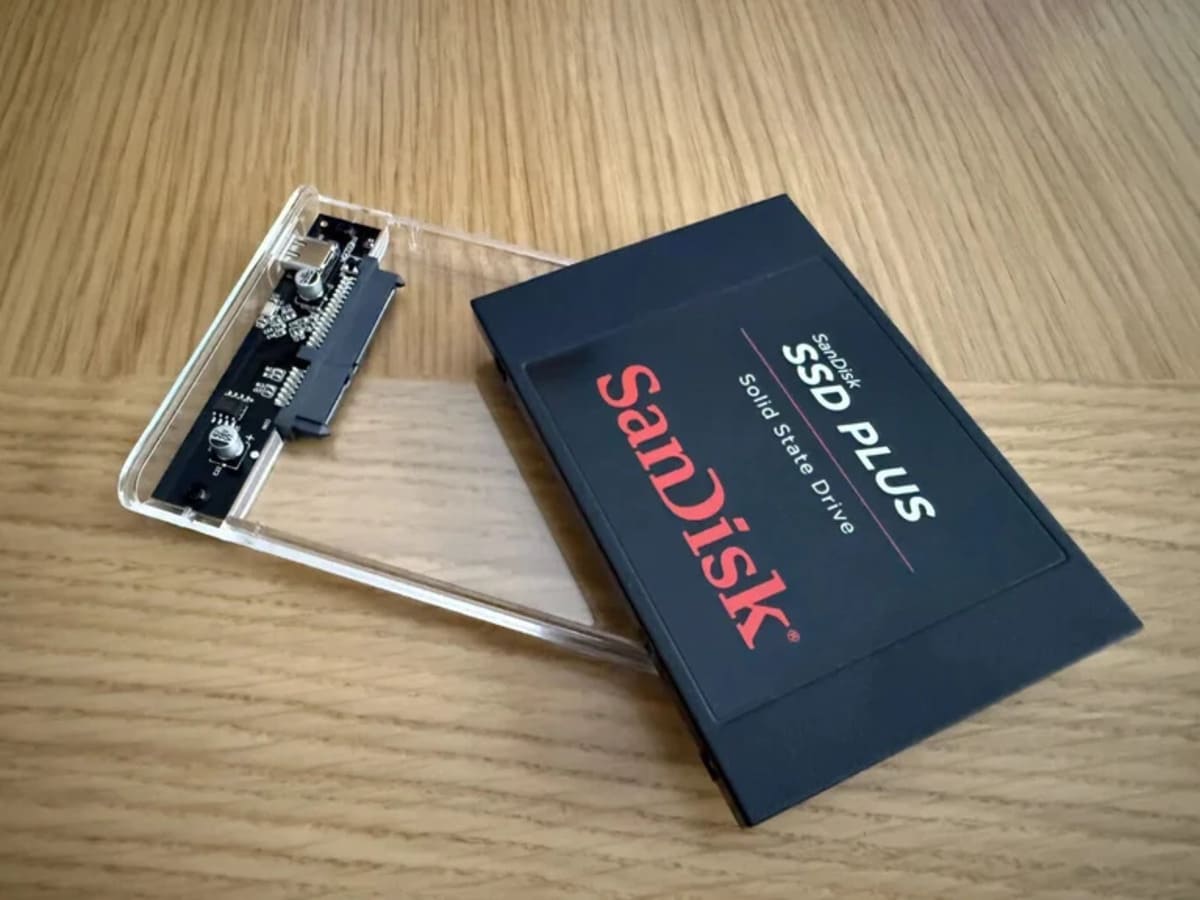
Even if you don’t have an external drive, an old laptop or desktop PC can provide what you need. Inside, there’s a perfectly functional hard drive or SSD that can be repurposed. No advanced tech skills required—just grab a compatible enclosure or adapter (available on Amazon and other stores). Make sure the case fits your drive’s size: 2.5-inch for laptops, 3.5-inch for desktops.
Before using it with your TV, you’ll need to format the drive on your computer. The best formats are exFAT or NTFS, as FAT32 has file size limitations. On Windows, simply right-click the drive in File Explorer, then select “Format”. Mac users can do the same via Disk Utility. Keep in mind that formatting will erase all existing data, so back up any important files beforehand.
Why Connect a Hard Drive to Your TV?
Expanding your TV’s storage comes with several benefits:
- Record live TV shows directly onto the hard drive
- Download and store large apps that wouldn’t fit on your TV’s internal memory
But the real magic happens when you turn your hard drive into a multimedia center. Transfer movies, music, and photos from your PC to your external drive and enjoy them on the big screen. Many Smart TVs support media playback apps like VLC or Kodi, allowing you to watch high-quality video files—even in better resolution than most streaming services.
Give Your Old Hard Drive a New Life
With just a few simple steps, you can breathe new life into old tech. Instead of letting your hard drive gather dust, transform it into a practical, cost-free upgrade for your Smart TV. Whether you want to store media, record shows, or install apps, this quick hack turns outdated storage into a valuable home entertainment tool.
NASA warns China could slow Earth’s rotation with one simple move
This dog endured 27 hours of labor and gave birth to a record-breaking number of puppies