
Amazon co-founder MacKenzie Scott has donated over $19 billion to charity in just five years
Diamond batteries powered by nuclear waste promise 28,000 years of clean energy
Unboxing the Frame
The packaging is minimalist, almost too reminiscent of household appliances. Nonetheless, it effectively protects the Pix-Star Lux 17”, which is crucial given its size.
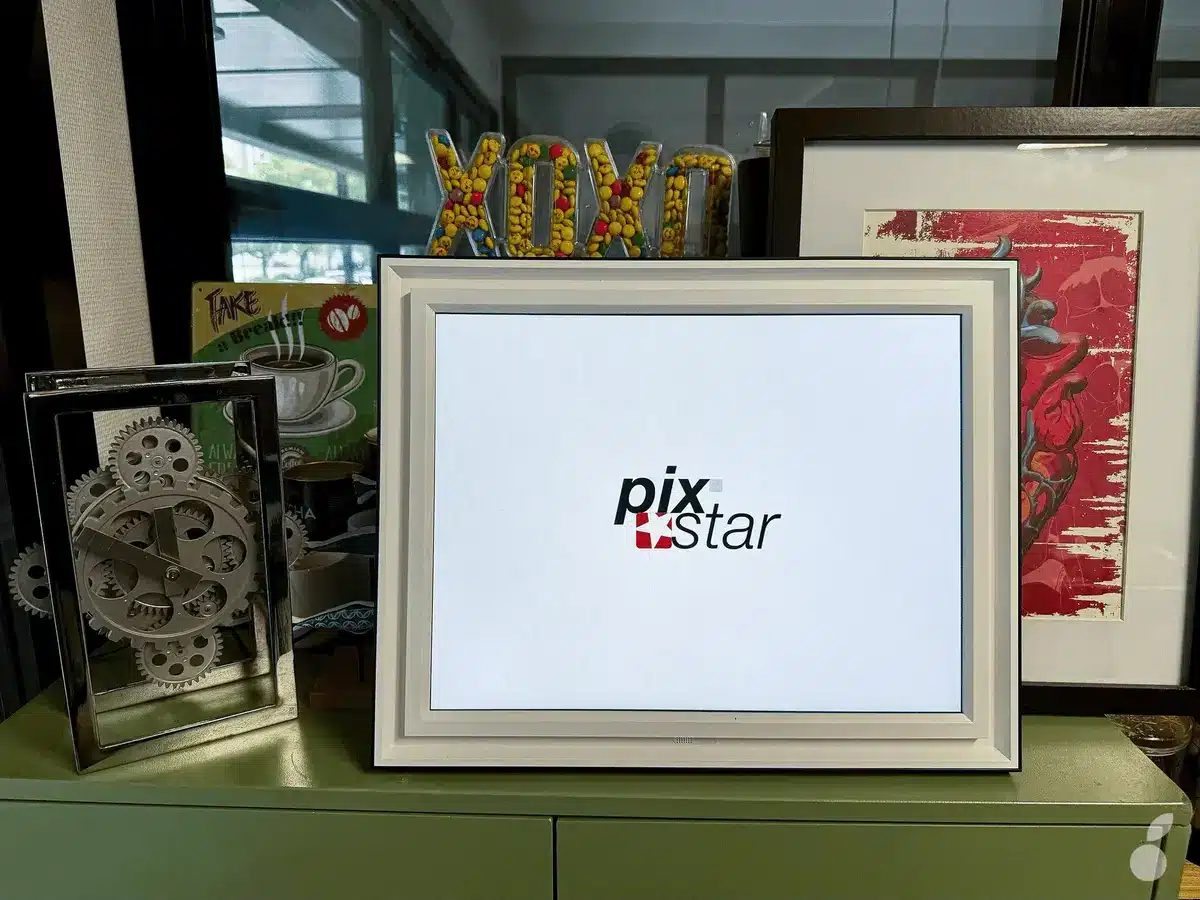
Indeed, the frame is quite large, featuring a 17-inch screen (diagonal of 43.18 cm and a 4:3 ratio with a resolution of 1280 x 960). Its dimensions are unusually large for this type of product (420 x 333 x 50 mm), and it weighs a significant 2.5 kg.
In the box, you’ll find the frame, a charger with an integrated EU plug and cable, and a remote control (batteries included).
The design features a structured white frame with black trim moldings. The back is dark gray. A magnetic stand allows for both portrait and landscape orientation, which I find more stable given the weight and size. Despite its somewhat traditional style, it can easily fit into various settings, whether at home or in the office.
Additionally, the frame is quite well-thought-out. The small stand can be stored in a dedicated compartment at the back (bottom right of the photo below). This is quite handy if you choose to mount the product on the wall, with notches provided for this purpose.
The frame also has a designated area to keep the remote control secure so it doesn’t get lost (top left). The remote fits snugly and can be retrieved without damaging your nails, by rotating it from underneath.
Underneath the frame, there’s a physical button to manually power off and lock the device. It’s possible to set up automatic power-off times directly through the product’s interface (settings menu) using the remote control.
On the left side, a small button allows for manual shutdown of the frame. There are also two slots for an SD card or a USB stick to add audio or video content. This model includes a motion sensor that activates from sleep mode to display photos and other content.
NASA warns China could slow Earth’s rotation with one simple move
This dog endured 27 hours of labor and gave birth to a record-breaking number of puppies
However, the frame comes with 16 GB of built-in memory. Note that this product does not have an integrated battery (even for standby mode) and must always be connected to a power source to operate.
A Giant Display
The Pix-Star Lux is available in three sizes: 10, 15, and 17 inches (I’ve included the links at the start and end of the article). The 17-inch version truly stands out from other products on the market. It features unusually large dimensions for this type of product, namely 420 x 333 x 50 mm (a diagonal of 43.18 cm), a 4:3 format (1280 x 960), and a hefty weight of 2.5 kg.
It will require an appropriately sized table, placed somewhat away from high-traffic areas to avoid accidents. Wall mounting, setting it on a console, or placing it on a shelf are all excellent ways to fully enjoy the frame.
Notably, this size—with a brightness up to 350 nits—is also perfectly suitable for the elderly, who can enjoy their memories without straining their eyes, or easily use the added features (time/date/weather).
Quick Setup
Once placed and plugged into power, setting up is incredibly fast, taking only a few minutes. You need to select the interface language and country, then activate Bluetooth and WiFi (the most tedious part being entering the password via the remote and on-screen keyboard).
The control screen displays the time and date by default (based on the entered location). At the bottom of the screen, there’s a menu with eight possible options: calculator, games, reminders, photos, videos, settings, music, and radio.
Dedicated App
For daily management of the frame from home or remotely, the provider also offers an app, Pix-Star Snap for iOS and Android. It allows you to quickly send photos (JPEG, JPG, BMP, PNG, GIF) from your smartphone to one or more frames.
To do this, you will need a Pix-Star ID. To create one, go to https://www.pix-star.com to register your frame with the serial number and link it to a username (either you have one or you create a new one), then follow the procedure (enter first name, last name, password, email, username, and choose your language between French or English).
At any time, you can access the dashboard, either from a browser or from the app. The web interface is much more comprehensive for configuring your entire account.
However, the app is faster for uploading photos.
A No-Frills Interface
The navigation is quite smooth. The interface is ultra naked simple, which some might find a bit Spartan. There are no graphic effects or animations. It’s a very basic menu: black on a white background with a red highlight.
Everything is accessible directly on the frame (via the remote control or physical buttons) or from the app. You can also manage remotely the content displayed on the frame, which is great for families living apart. This way, you can send surprises directly to your parents or grandparents.
Automatic Cloud Sync
With its Wi-Fi connectivity b/g/n (2.4 GHz, 5 GHz), it’s easy to sync online albums (with Google Photos, Dropbox, etc.) and keep them updated automatically. New photos added to an online album instantly appear on all connected frames. Gone are the days of transfers via USB stick or SD card, though it’s still possible if needed.
For this, the frame has a storage capacity of 16 GB, which can hold up to 45,000 photos. But for those with larger or more significant photo collections, a USB port and an SD card reader (SD, SDHC, SDXC) allow for further expansion, or easy import of new content.
One of the frame’s strong points is the absence of a subscription. Indeed, both for cloud storage and advanced features, everything is free where other models might offer additional plans or access to subscription-based clouds. Pix-Star plays the card of transparency and durability: all options are activated by default.
A Wealth of Multimedia Functions
The Pix-Star Lux is not limited to displaying photos. It transforms into an interactive multimedia hub thanks to built-in functions like web radio, a few games (yes, there’s even snake, minesweeper, or sudoku, but these might appeal to a certain age group!), a calendar, or weather updates (related to your location).
It can even stream video clips, audio messages thanks to its integrated speakers, or even a voicemail (MP3/WAV). Given its size, you might also consider running short films / images during a family event (like those embarrassing wedding photos) or professional content (daily menu for a guest house, completed services etc).
Our Take
The Pix-Star ultimately remains a very traditional product, focusing primarily on the essentials: displaying memories in the best possible way. In an era where technology can sometimes isolate rather than connect, this frame reminds us that it can also be a fantastic tool for social connection.
Here, there are no intrusive social networks or algorithms: you receive, you share, you display within the intimate circle of your family or close friends. Designed for families, tailored for seniors who want to stay connected without complications, the Pix-Star Lux 17” stands out with a simple interface, quick setup, and a total absence of hidden fees.
With numerous multimedia features—remote photo sending, compatibility with various platforms, scheduled displays—it fits into modern lifestyles, where geographical separation is common. Personally, I love sending surprise photos to my parents, which always creates a tender moment even from afar. And for them, it’s easy to navigate with more traditional functions as bonuses, like the weather or the radio.