
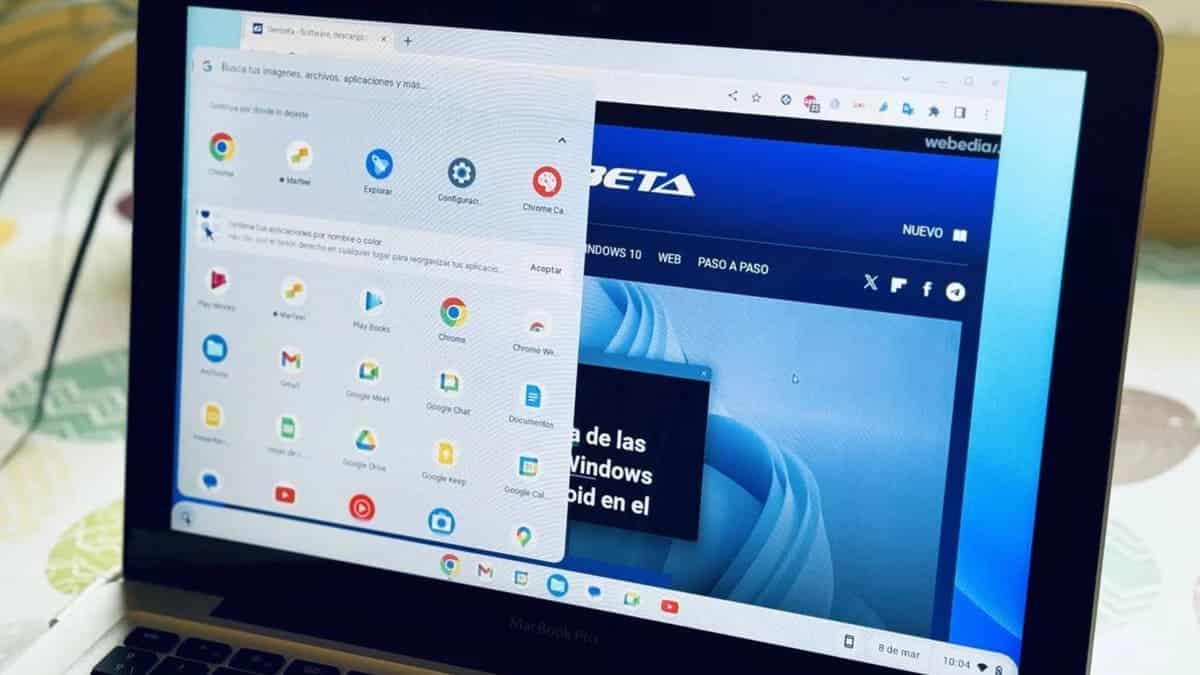
A little while ago, I found myself faced with a classic dilemma: what to do with my old computer that had been gathering dust in the corner of my room? After much thought, I came up with a somewhat quirky solution that made perfect sense: turn it into a Chromebook.
Amazon co-founder MacKenzie Scott has donated over $19 billion to charity in just five years
Diamond batteries powered by nuclear waste promise 28,000 years of clean energy
Turning My Old PC into a Chromebook
Like many people, I find it hard to part with things that still work, especially when they hold sentimental value. My old laptop wasn’t quite a relic—it still functioned—but I knew it was far too outdated to run the latest versions of Windows or macOS smoothly. That’s when I decided to explore something different: Chrome OS Flex.
This free operating system is designed specifically for giving new life to old machines. By replacing traditional operating systems, Chrome OS Flex focuses on the web and Google’s ecosystem, making it ideal for basic browsing, word processing, and other everyday tasks. It seemed like the perfect solution to recycle my aging laptop without having to toss it aside.
Where Do You Start?
The first step was checking if my old computer was compatible with Chrome OS Flex. Fortunately, the system requirements were fairly modest: an x86-64 architecture, at least 4GB of RAM, 16GB of storage, and a processor and graphics card from 2010 or later. After confirming my laptop met those specs, I was ready to go.
Thanks to the clear instructions provided by Google, I was able to create a bootable USB drive and begin the installation process. The whole setup was pretty straightforward, but as with any tech installation, attention to detail is key. In less than 30 minutes, my old machine was ready to transform into a Chromebook.
Does Chrome OS Flex Actually Work Well?
Once the installation was complete, I was pleasantly surprised by how well Chrome OS Flex performed. The interface is incredibly intuitive, allowing me to quickly customize my settings, particularly in terms of privacy and syncing with other Chrome devices. Although I didn’t have multiple devices to sync, the concept alone was a nice touch.
Using my “new” Chromebook has been a smooth and enjoyable experience. Whether I was browsing the web, writing documents, or watching videos, my former laptop had turned into a reliable and surprisingly fast device. While it might not be a powerhouse, the user experience was leaps and bounds better than the clunky, almost unusable Windows setup it had before.
Why It Felt So Good?
Not only was it satisfying to give my old laptop a second chance, but it also felt good to be environmentally conscious. Extending the life of a device rather than discarding it saves resources and cuts down on e-waste. Plus, I saved some money by not having to buy a new device. With solutions like Chrome OS Flex, it’s easier than ever to breathe new life into old tech and make it work for today’s needs.
NASA warns China could slow Earth’s rotation with one simple move
This dog endured 27 hours of labor and gave birth to a record-breaking number of puppies
In the end, turning my old computer into a Chromebook wasn’t just a practical solution—it was a win for both my wallet and the planet. So, if you’ve got an old device lying around, why not consider giving it a second chance with Chrome OS Flex? It’s easier, cheaper, and more eco-friendly than you might think!